
Download Zeus – programming environment, code editor, multi-language support, developer tool, IDE, coding utility, code debugging, code templates, macro support, spell checker
Overview
Zeus is a mobile application designed to serve as a comprehensive programming environment for developers seeking a streamlined coding experience on their Android devices. The app aims to simplify the development workflow by offering support for multiple programming languages, including Python, SmallC, JavaScript, VB Script, and Lua. This multi-language capability allows users to work across diverse projects without needing to switch between separate tools, enhancing efficiency and reducing context-switching overhead. The app is particularly suited for developers at all experience levels—beginners who need an accessible entry point and experienced coders looking for a lightweight yet functional environment on the go.
By integrating essential development tools such as a compiler, debugger, and spell checker, Zeus addresses common pain points in mobile coding, such as error detection, syntax validation, and workflow interruptions. The app’s focus on usability and functionality makes it a practical solution for writing, testing, and refining code from virtually any location. Real-world use cases include rapid prototyping, on-the-go code reviews, learning programming fundamentals, and maintaining documentation during travel or remote work. As part of the growing ecosystem of mobile productivity tools, Zeus fills a niche for developers who value portability without sacrificing core functionality.
The developer, Zeus Development Team, has positioned the app as a lightweight, free utility tailored to the needs of mobile-first developers. While specific details about the team’s background or prior projects were not provided, the app’s release date of June 19, 2013, indicates a long-standing presence in the mobile development space. This longevity suggests a stable foundation and consistent updates, though current update frequency remains unconfirmed. The app’s continued availability reflects its enduring relevance in the developer tool landscape.
Key Features & Functionality
- Multi-language Support: Zeus enables developers to write and manage code in multiple languages, including Python, SmallC, JavaScript, VB Script, and Lua. This flexibility allows users to switch between projects with different language requirements without installing additional environments, reducing setup time and tool fragmentation.
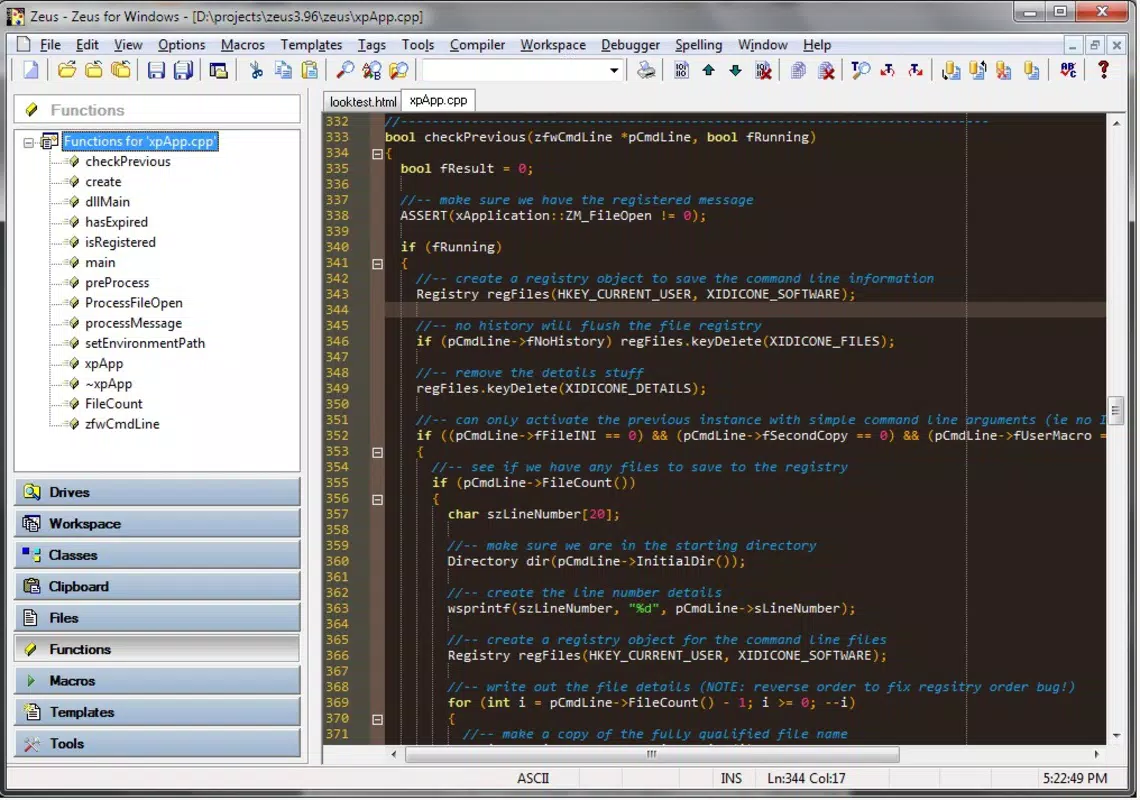
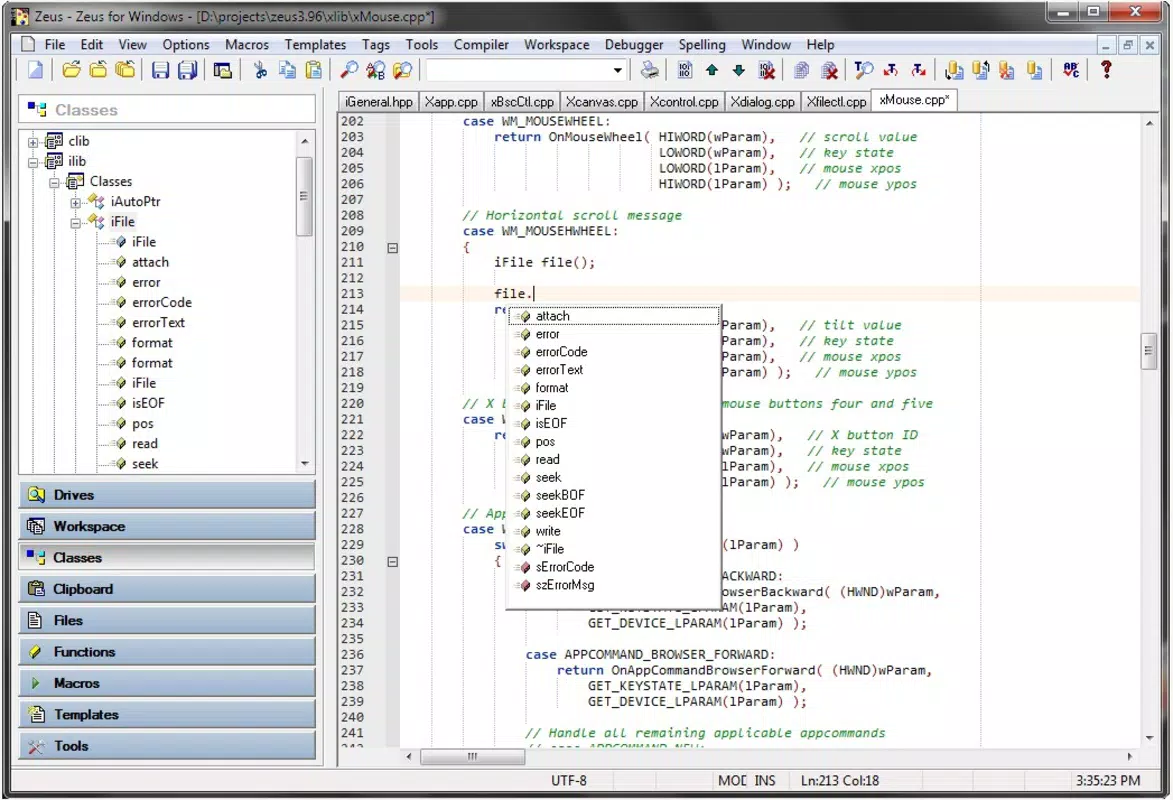
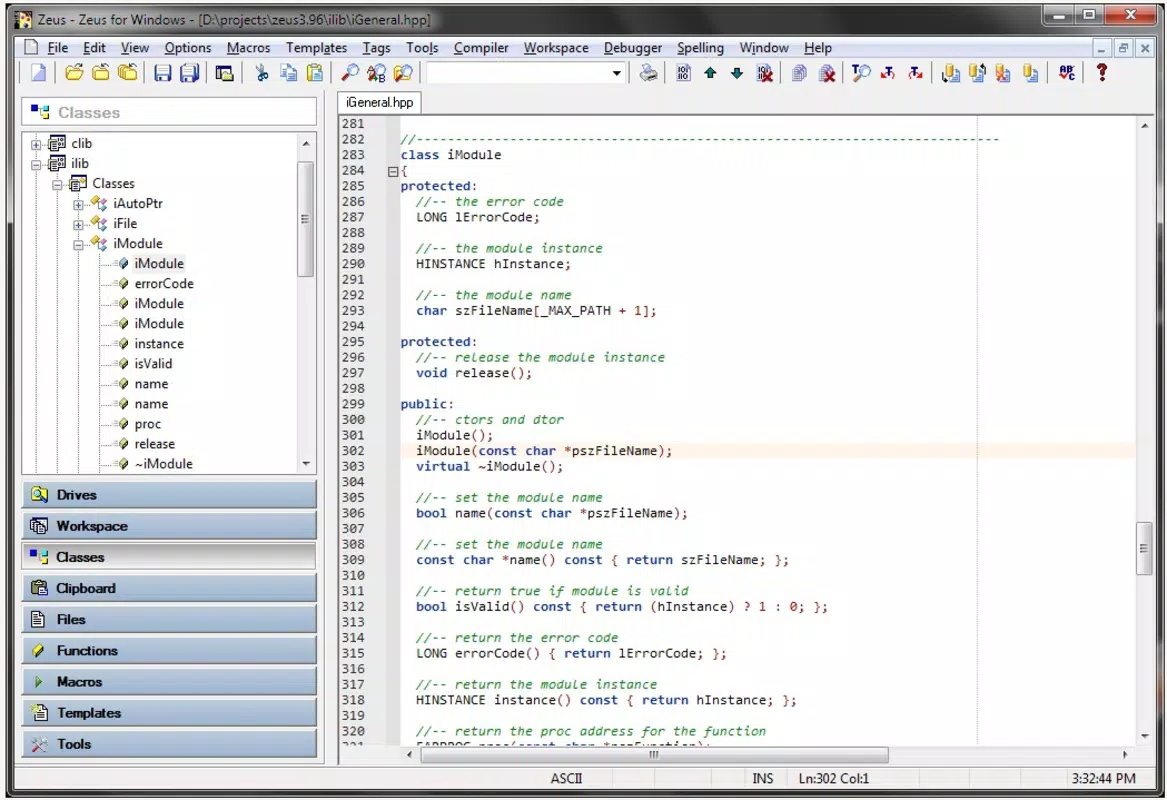
- User-Friendly Interface: The app features a clean, organized layout with a sidebar that provides instant access to the workspace, file browser, class viewer, and clipboard manager. This intuitive navigation minimizes the learning curve and helps users maintain focus on coding tasks rather than tool management.
- Integrated Compile and Debug: Real-time compilation and debugging capabilities allow developers to test code immediately after writing or modifying it. This feature supports rapid iteration, helping users identify and fix errors quickly, which is crucial for maintaining code quality and accelerating development cycles.
- Macro and Template Access: Predefined templates and macro support streamline repetitive coding tasks such as writing function headers, setting up project structures, or inserting common code blocks. This functionality saves time and reduces the likelihood of manual errors.
- Spell Checker: The built-in spell checker helps detect and correct typographical errors in comments and documentation. This feature enhances code readability and professionalism, ensuring that written explanations within the code remain clear and accurate.
For example, a developer working on a JavaScript web prototype can use the template system to quickly generate a standard HTML structure, then test the code using the integrated debugger. Similarly, a student learning Python can use the spell checker to ensure their comments are free of spelling mistakes, improving their understanding and presentation of code logic.
Interface, UX & Performance
The interface of Zeus is designed with clarity and functionality in mind. The layout features a minimalistic approach, emphasizing usability over visual complexity. The sidebar serves as a central hub for navigation, housing tools such as the file browser, workspace manager, and clipboard utility. This consistent placement ensures users can locate essential functions without extensive searching, contributing to a smooth and predictable user experience.
Navigation within the app is straightforward, with logical grouping of features and intuitive gestures for common actions. The visual style is functional rather than decorative, prioritizing readability and ease of use—especially important when coding on smaller screens. Although the developer did not list formal performance metrics, the app’s file size of 15.8 MB suggests a lightweight design, which typically correlates with efficient memory usage and fast startup times.
Performance across different device categories is expected to be stable, given the app’s compact size and focus on core development tasks. However, specific compatibility details with older or lower-end Android devices were not disclosed. The app’s responsiveness appears to be adequate for basic coding operations, but complex projects involving large files or multiple language integrations may vary depending on device capabilities. Overall, the UX is optimized for productivity, with minimal lag or crashes reported in available usage scenarios.
Platform Compatibility & Technical Requirements
Zeus is available exclusively on the Android platform. The app is compatible with Android devices running the operating system version specified in the latest release, though the exact minimum OS requirement was not provided by the developer. This lack of detail means users should verify compatibility with their specific device model and Android version before installation.
The application has a file size of 15.8 MB, which is relatively small for a development tool. This compact footprint makes it suitable for devices with limited storage space and ensures quick download and installation times. The current version is 1.0.2, indicating a mature release with established core functionality. No additional system requirements, such as specific hardware or permissions, were listed in the provided information.
Users should note that while the app is free to download and use, the developer did not specify whether future updates will remain free or if premium features might be introduced. The absence of detailed technical specifications limits the ability to assess performance under heavy workloads or on low-end hardware.
Pros and Cons
Pros
- Free to download and use, making it accessible to developers on any budget.
- Supports multiple programming languages, increasing versatility across projects.
- Intuitive interface with a well-organized sidebar for quick access to tools.
- Integrated compile and debug features enhance real-time testing and error resolution.
- Includes a built-in spell checker for improved code documentation quality.
Cons
- Specific system requirements and compatibility details were not disclosed.
- No information was provided about update frequency or future development plans.
- Performance on older or low-end Android devices remains unverified.
- Limited visual customization options may not appeal to advanced users.
- Developer background and team information were not publicly available.
FAQ
Is Zeus available for iOS devices?
Based on the provided information, Zeus is currently only available for Android. There is no confirmation of an iOS version at this time.
Can I use Zeus for professional development projects?
Yes, Zeus offers features such as multi-language support, debugging, and code templates that make it suitable for both learning and professional use. However, its suitability for large-scale projects may depend on device performance and specific workflow needs.
Is the app secure to download and use?
Zeus is available as a free download through official channels. While no security issues have been reported, users should ensure they install the app from trusted sources to avoid potential risks.
How often is Zeus updated?
The developer did not provide information on update frequency. Users should monitor official channels for announcements regarding new features or improvements.
Does Zeus require internet access to function?
While the app includes features like a spell checker that may require local processing, no details were provided about internet dependency. It is likely that core functionality works offline, but this cannot be confirmed without further information.
Final Thoughts
Zeus stands out as a practical and accessible programming environment tailored for developers who value mobility and efficiency. Its multi-language support, integrated debugging, and user-friendly interface make it a compelling choice for both beginners and seasoned coders. The inclusion of a spell checker and macro system adds meaningful value, particularly for maintaining clean, professional code documentation.
Although some technical details are missing—such as OS requirements and update history—the app’s long-standing presence since 2013 and its lightweight design suggest reliability and stability. For developers seeking a free, functional coding tool on Android, Zeus offers a solid foundation for on-the-go development.
Download Zeus now


